
Ingest Lambda + S3 Trigger
Wire the raw S3 upload events to the ingestion Lambda and verify the event shows up in logs.
Goal
Create the ingestion Lambda and attach an S3 trigger so every upload to photos-raw/ automatically runs the function.
Prerequisites
You should already have:
- S3 buckets:
beetroot-rawandbeetroot-thumbs - DynamoDB tables:
Photos,Persons,Occurrences - Rekognition collection:
beetroot-faces - Ingest Lambda IAM role:
beetroot-ingest-role
Create Ingest Lambda
-
Go to Lambda → Create function
-
Select Author from scratch
-
Fill:
- Function name:
beetroot-ingest - Runtime: Python 3.14
- Function name:
-
Under Permissions:
- Click Change default execution role
- Select Use an existing role
- Choose your role:
beetroot-ingest-role(the role you created)
-
Click Create function
-
The Lambda function would have the following code inside it:
import json

def lambda_handler(event, context):
    print("S3 EVENT:")
    print(json.dumps(event))
return {"ok": True}-
To check if the Lambda function is working:
- In the Lambda page, open the Test tab (above the code editor).
- You can keep the default test event or edit it
- Click on Test button
- After it runs, open Details to see the response and logs. Expected response:
{
  "statusCode": 200,
  "body": "\"Hello from Lambda!\""
}
Add S3 trigger
- Open Lambda →
beetroot-ingest - Click Add trigger
- Select S3
- Bucket:
beetroot-raw - Event type: All object create events (PUT is also fine)
- Prefix:
photos-raw/ - Acknowledge the permission prompt → click Add
Why set a prefix?
The prefix photos-raw/ ensures the Lambda only triggers for
uploads inside that folder, not for unrelated objects in the bucket.
Checkpoint
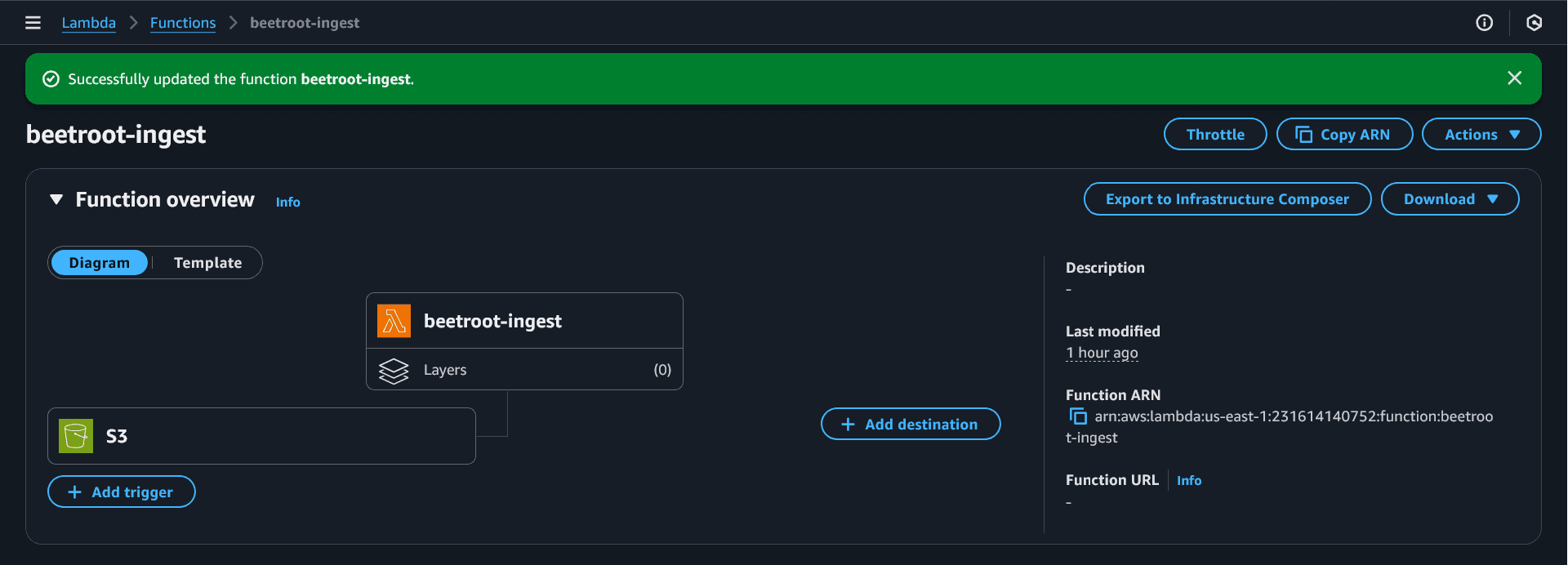
This is what you should see after adding the S3 trigger:
End-to-End Test
Upload one new photo (so logs are easy to read):
aws s3 cp ./beetroot-test-photos/group1.jpg s3://beetroot-raw/photos-raw/ --region us-east-1Verify via CloudWatch Logs
- Open Lambda →
beetroot-ingest - Go to Monitor → View CloudWatch logs
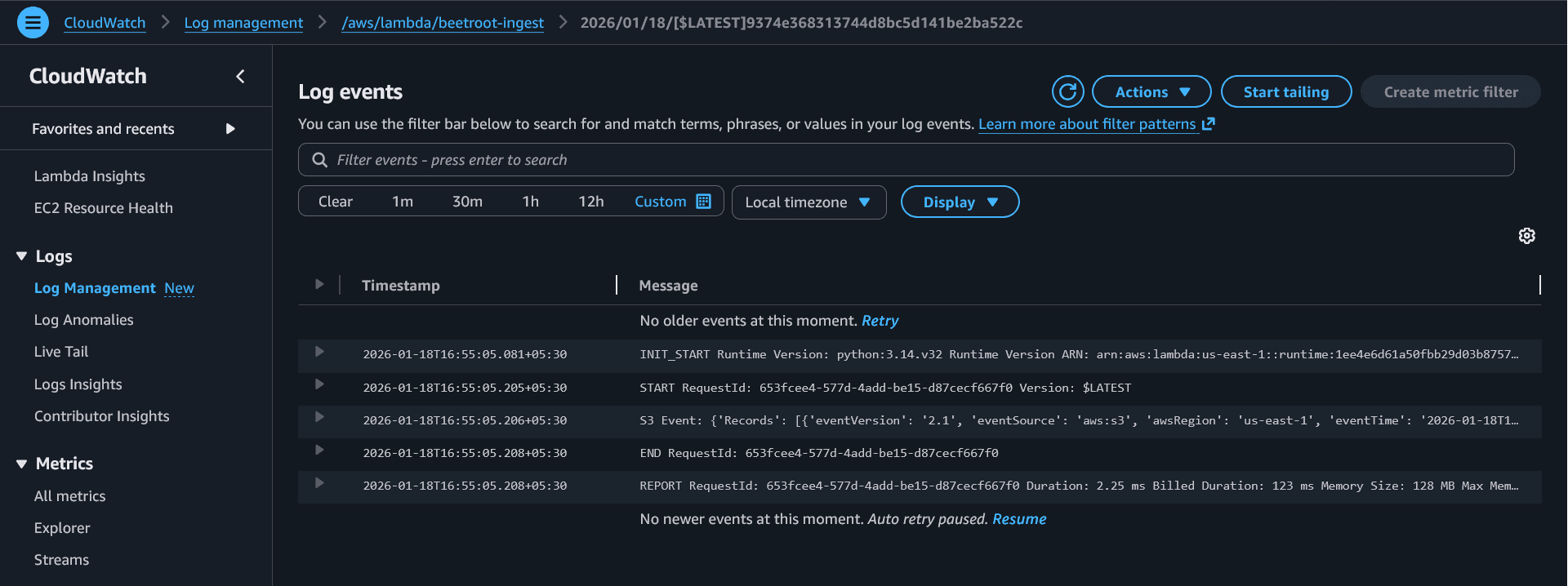
- Open the latest log stream
In the logs, confirm you see S3 EVENT: {'Records': ...}
If the trigger doesn't fire
Common causes:
- Wrong bucket or prefix
- Lambda is in a different region than the bucket
- Trigger was not added (check the Lambda designer)
Fix this before moving on, because the next phases depend on this working.